Plan delivery jobs
and dispatch in batches.
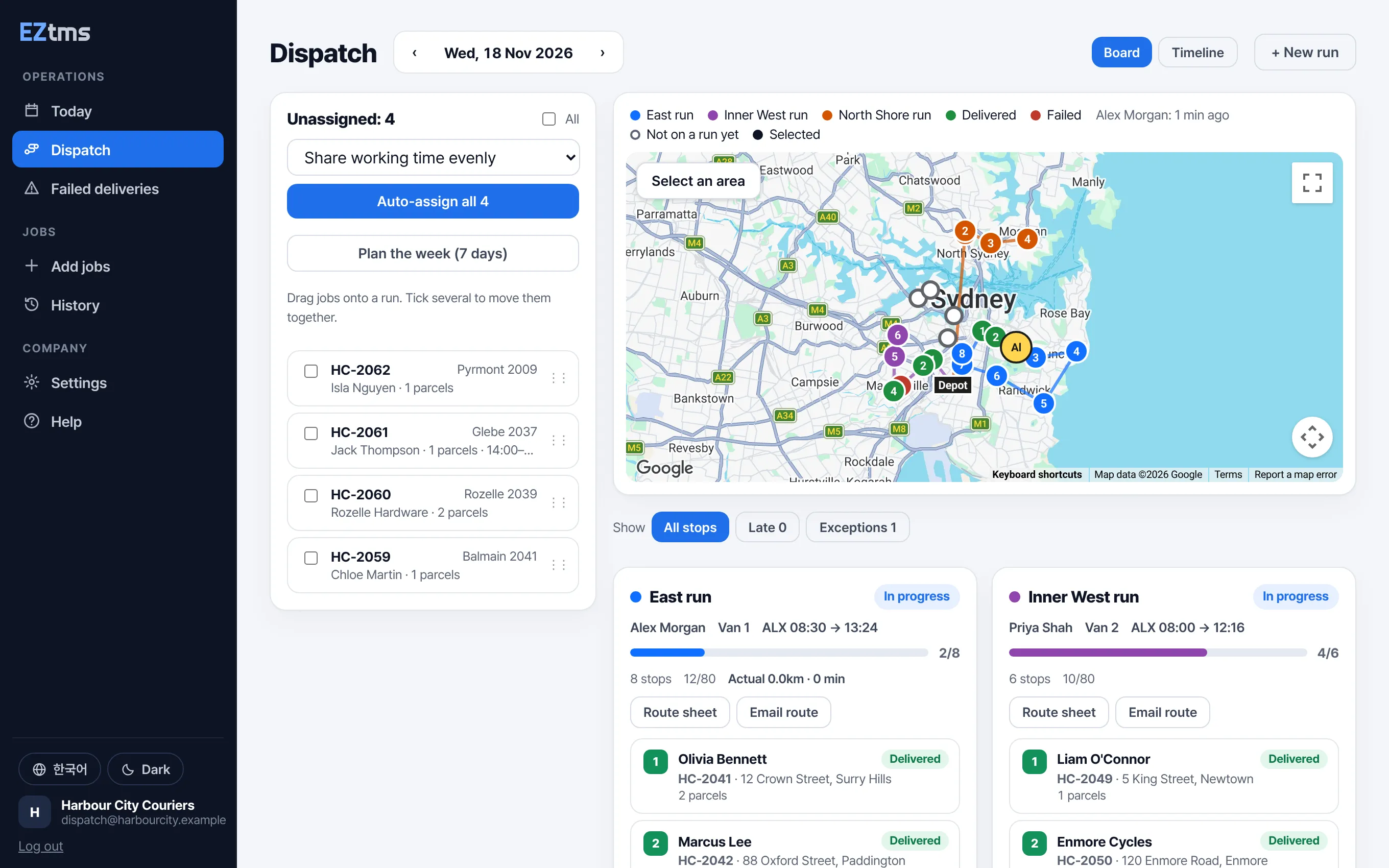
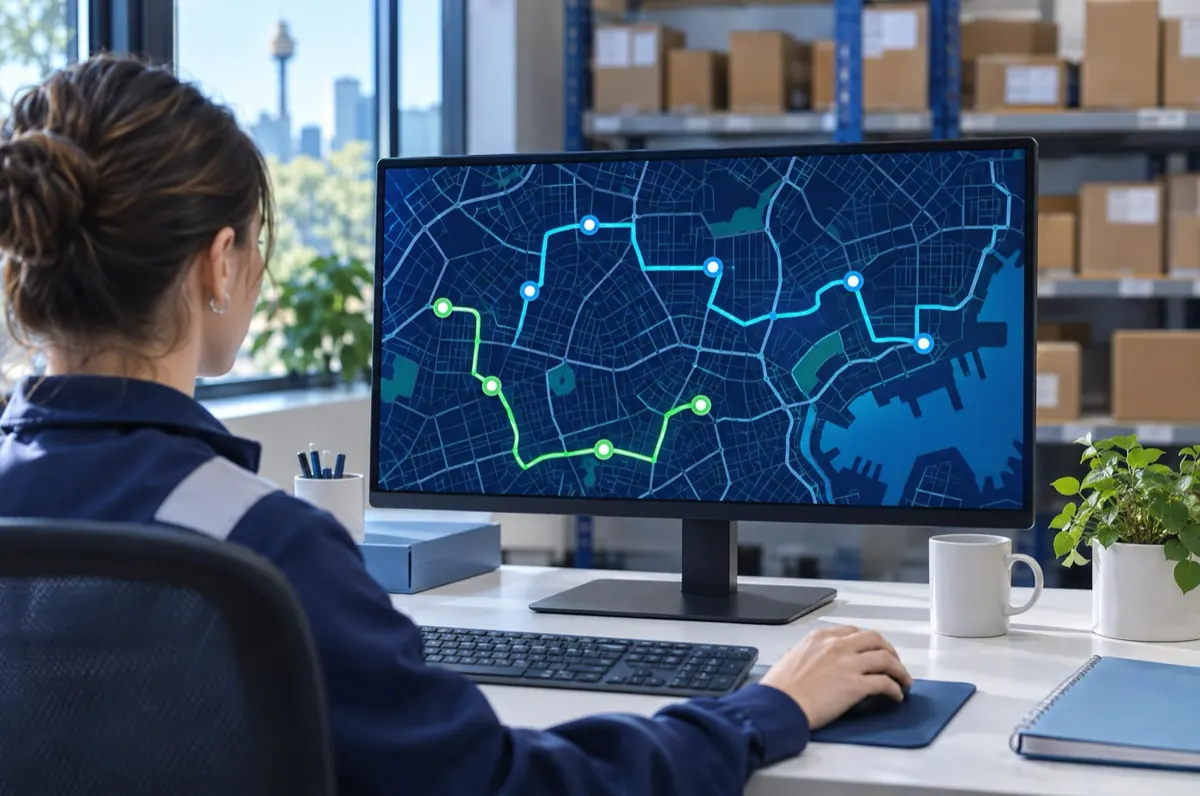
Import jobs by CSV and assign them to runs by depot, area and vehicle capacity. Plan the stop sequence using delivery time windows and distance, then adjust it manually as needed.
Delivery dispatch and driver app for Australia
Import delivery jobs and plan each driver's stop sequence. Drivers scan parcels at loading and record proof of delivery in the app.
Recipients can check delivery progress and estimated arrival times through a tracking link.
Import jobs by CSV and assign them to runs by depot, area and vehicle capacity. Plan the stop sequence using delivery time windows and distance, then adjust it manually as needed.
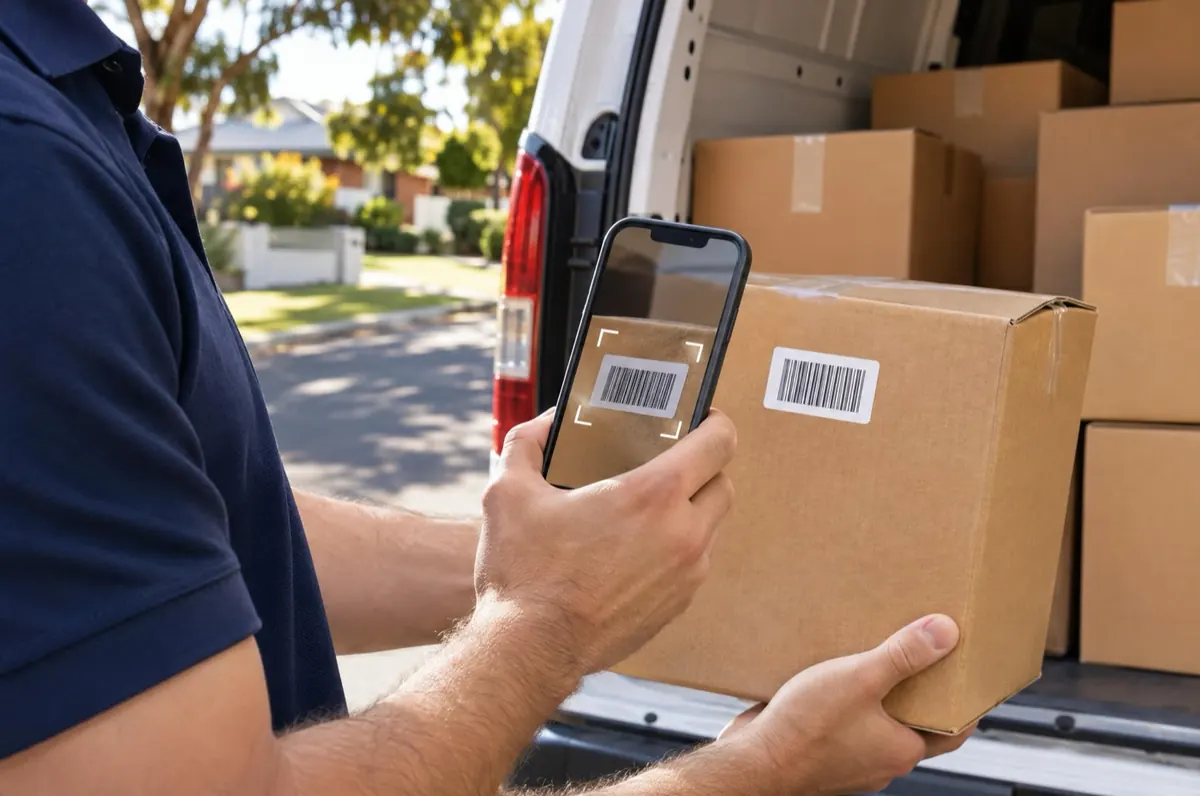
Scan parcel barcodes to check for missing parcels before departure. Record proof of delivery with photos and the recipient's name. Offline records stay on the phone and sync when the connection returns.

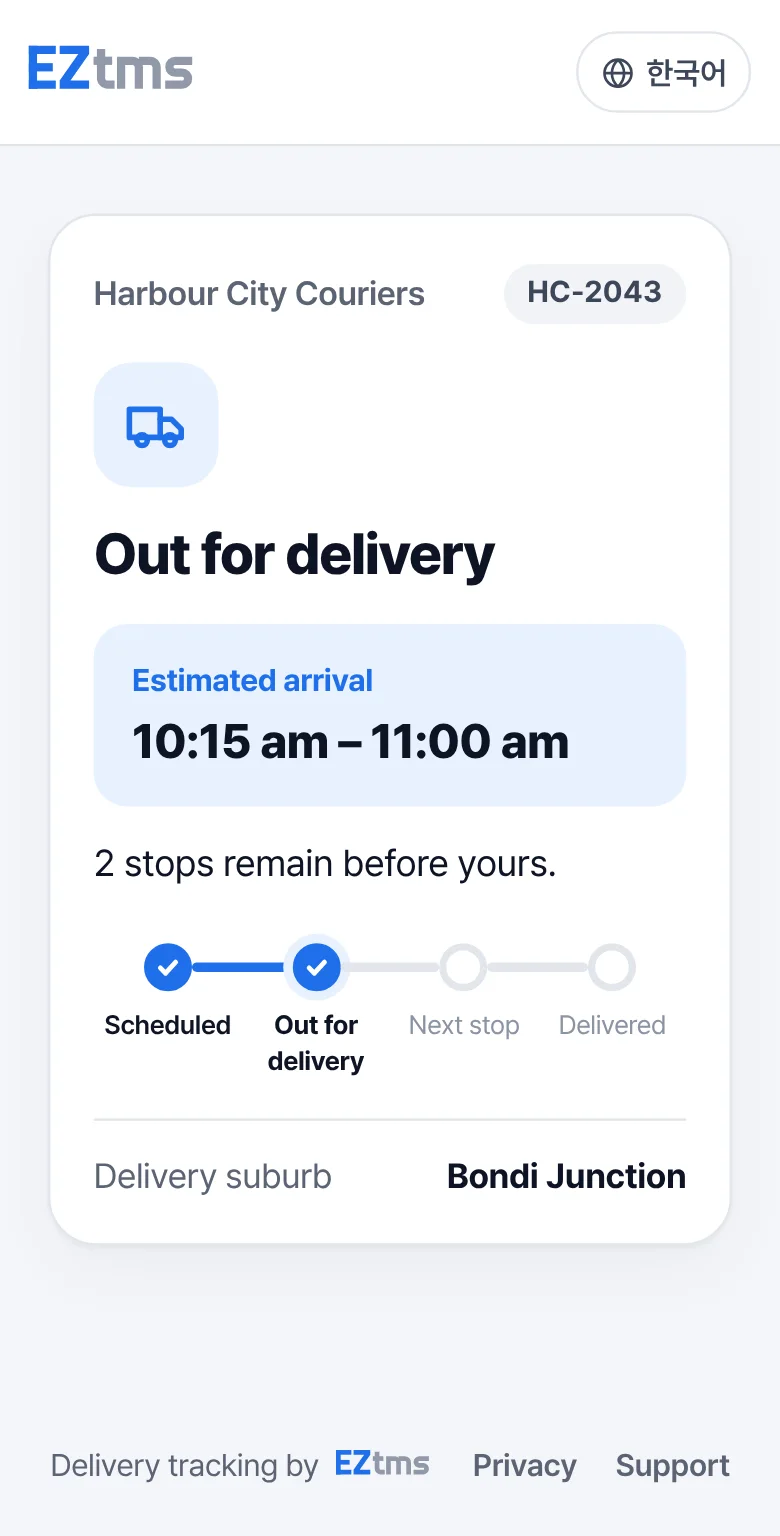
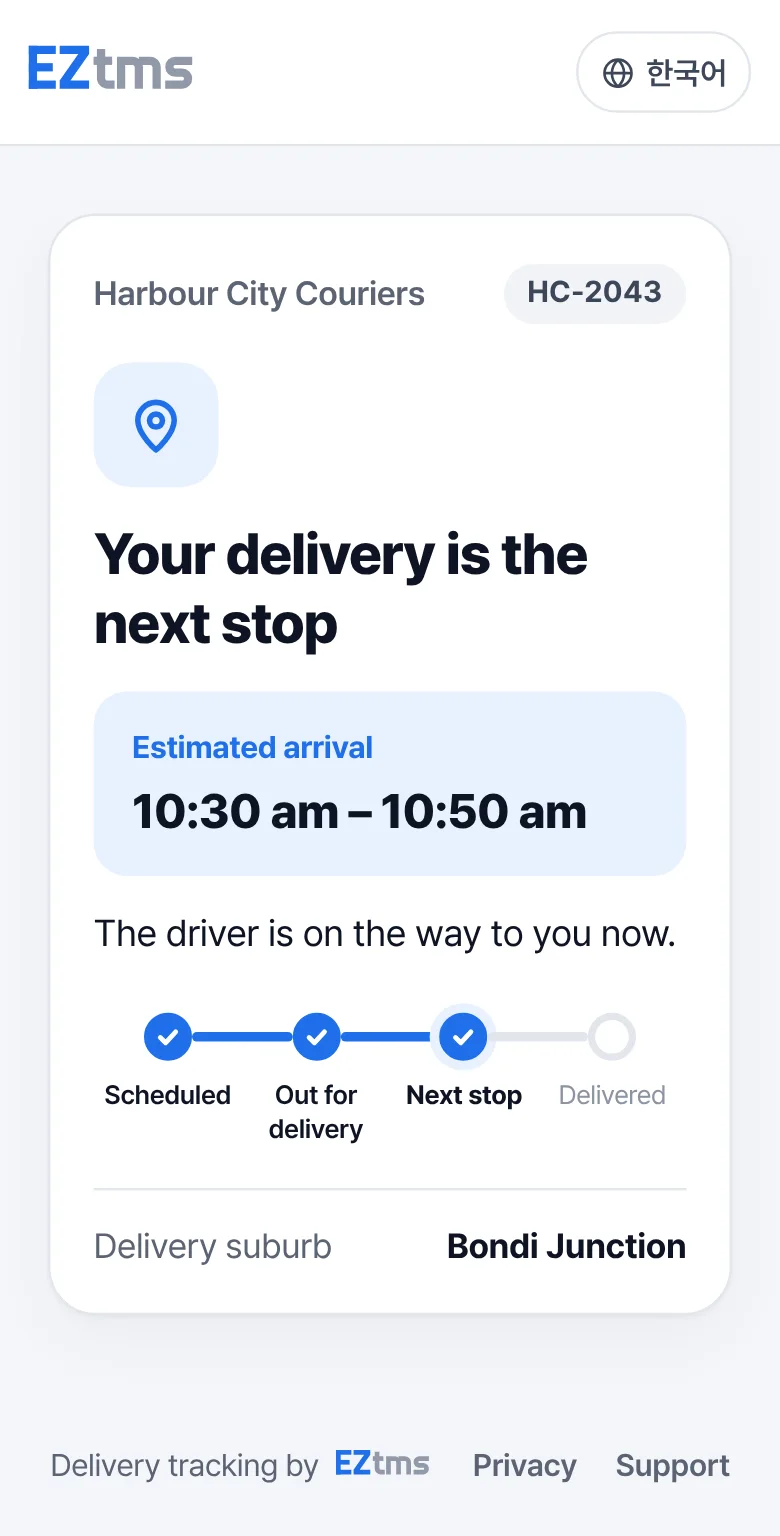
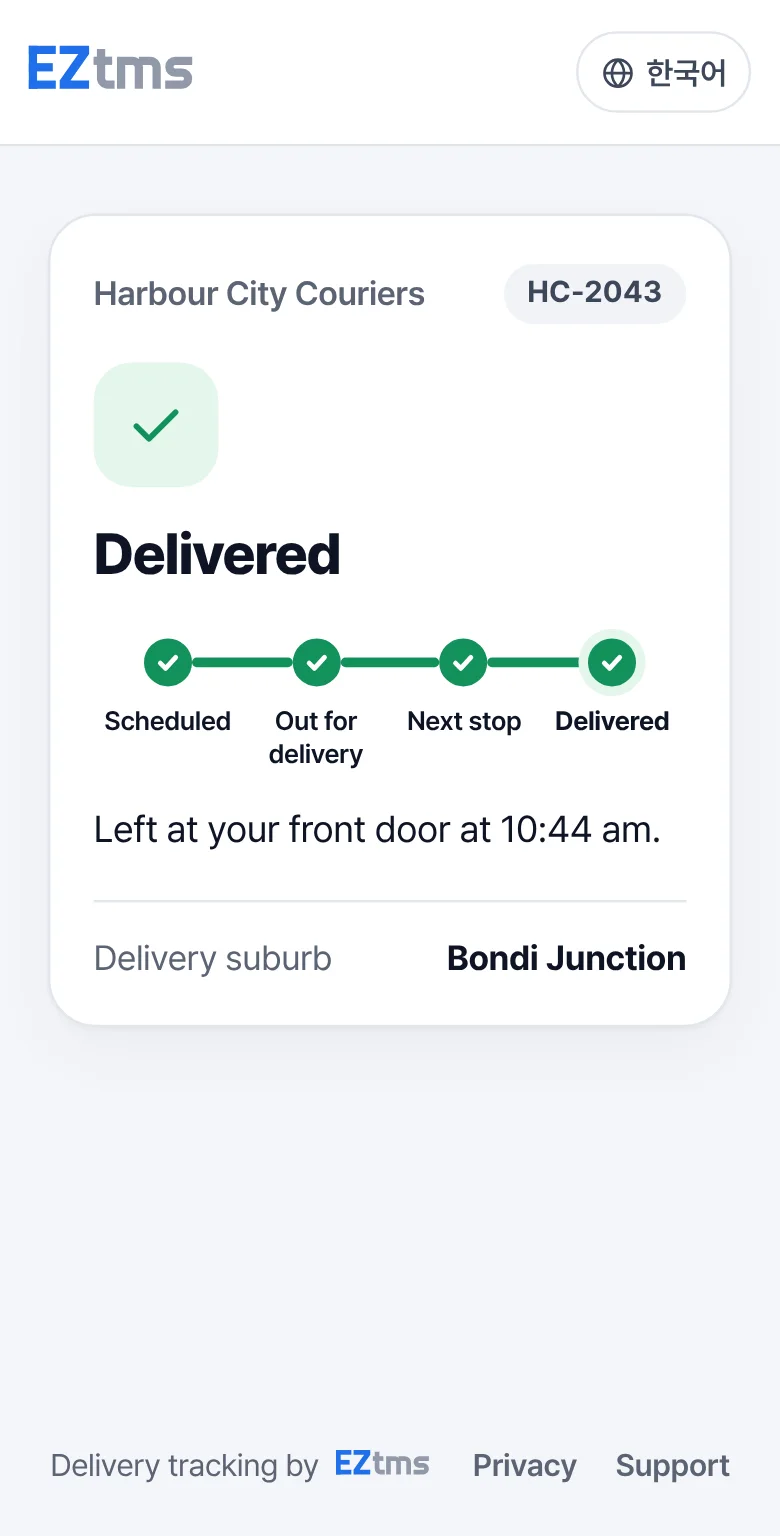
When notifications are configured, recipients receive a tracking link after the driver starts the run. The page shows delivery progress and an estimated arrival window when available. Phone numbers and full street addresses are kept off the page.
An Australian company
EZtms is developed and supported by ST Humans Pty Ltd, an Australian company.
You talk to a local team in your own time zone.
Support comes from the team that builds EZtms, working in Australian time zones.
Address search and checks for Australian street numbers, suburbs and postcodes.
Prices are in Australian dollars, with GST shown separately.
Delivery records are stored in a data centre in Melbourne.
Text updates are sent to Australian mobile numbers through an Australian SMS provider.
The dispatch web and the driver app work in English and Korean.
Dispatch web
Open eztms.com.au in a browser and sign in. There is nothing to install in the office.
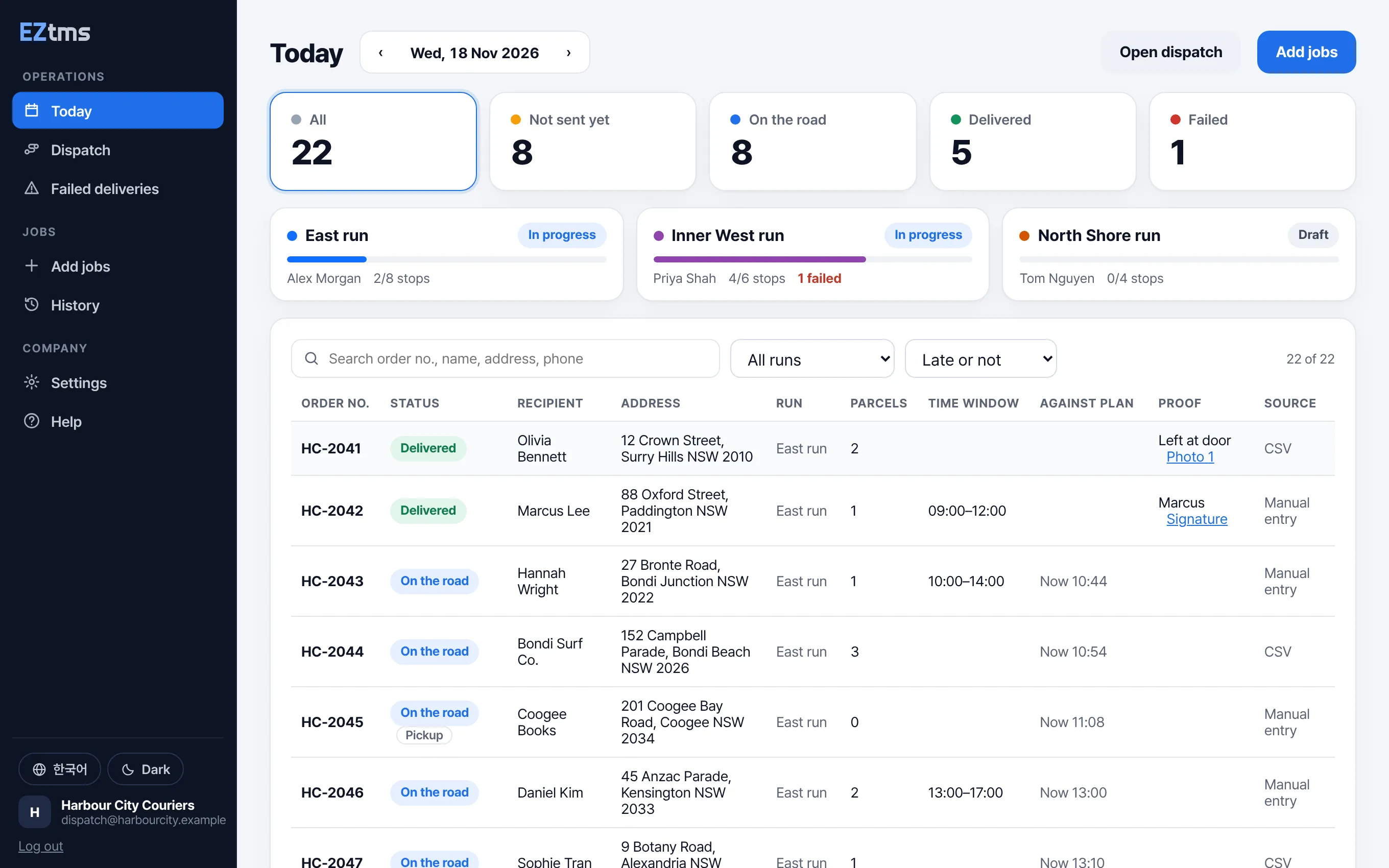
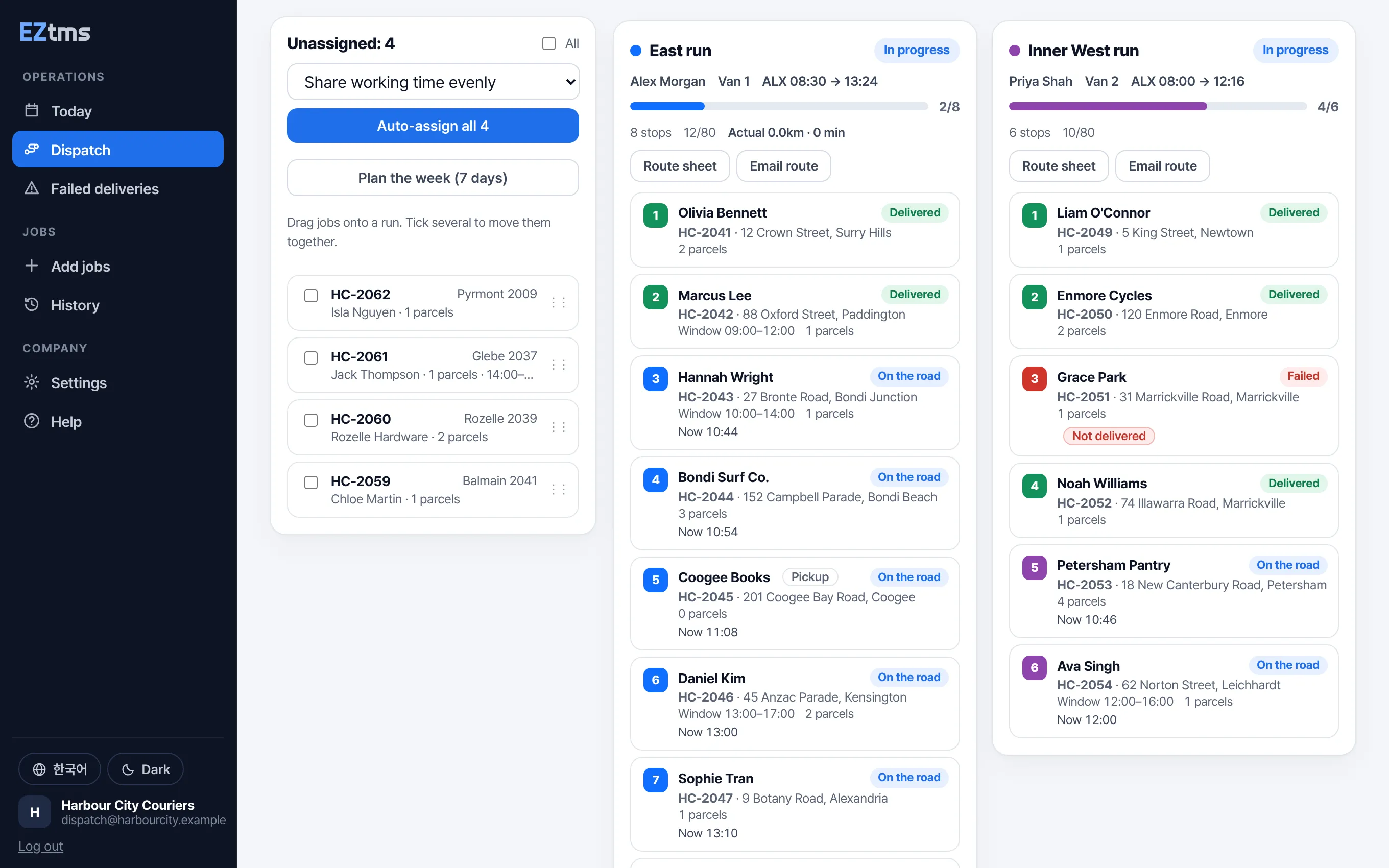
Real screens of the dispatch web. Names and addresses are examples.

Driver app · EZtms Driver
EZtms Driver is being prepared for release on the App Store and Google Play. Drivers sign in with the email address registered by their dispatcher to view assigned deliveries in stop sequence.
The app supports English and Korean, based on the phone's language. Download links will be added here after the store release.
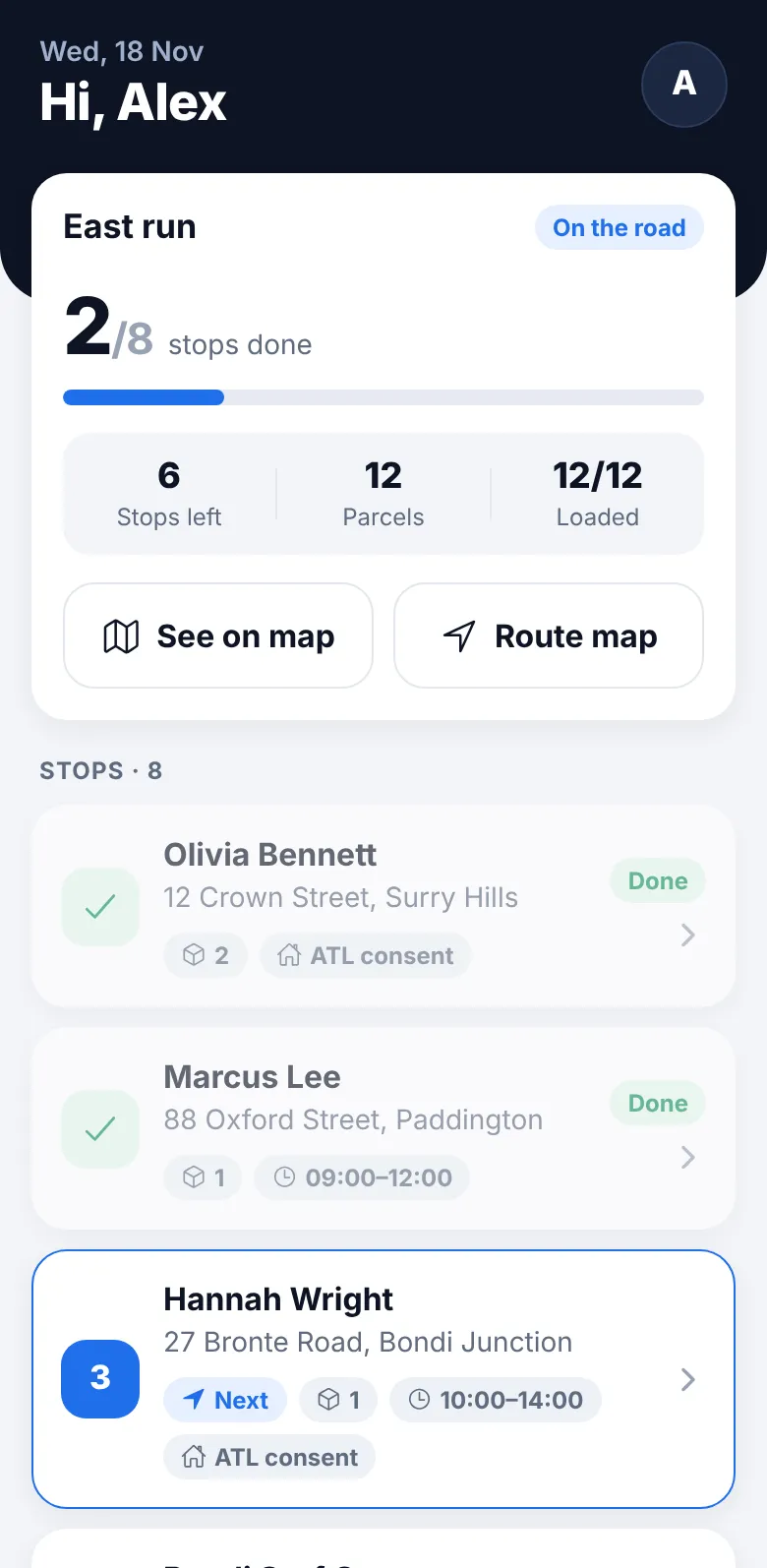
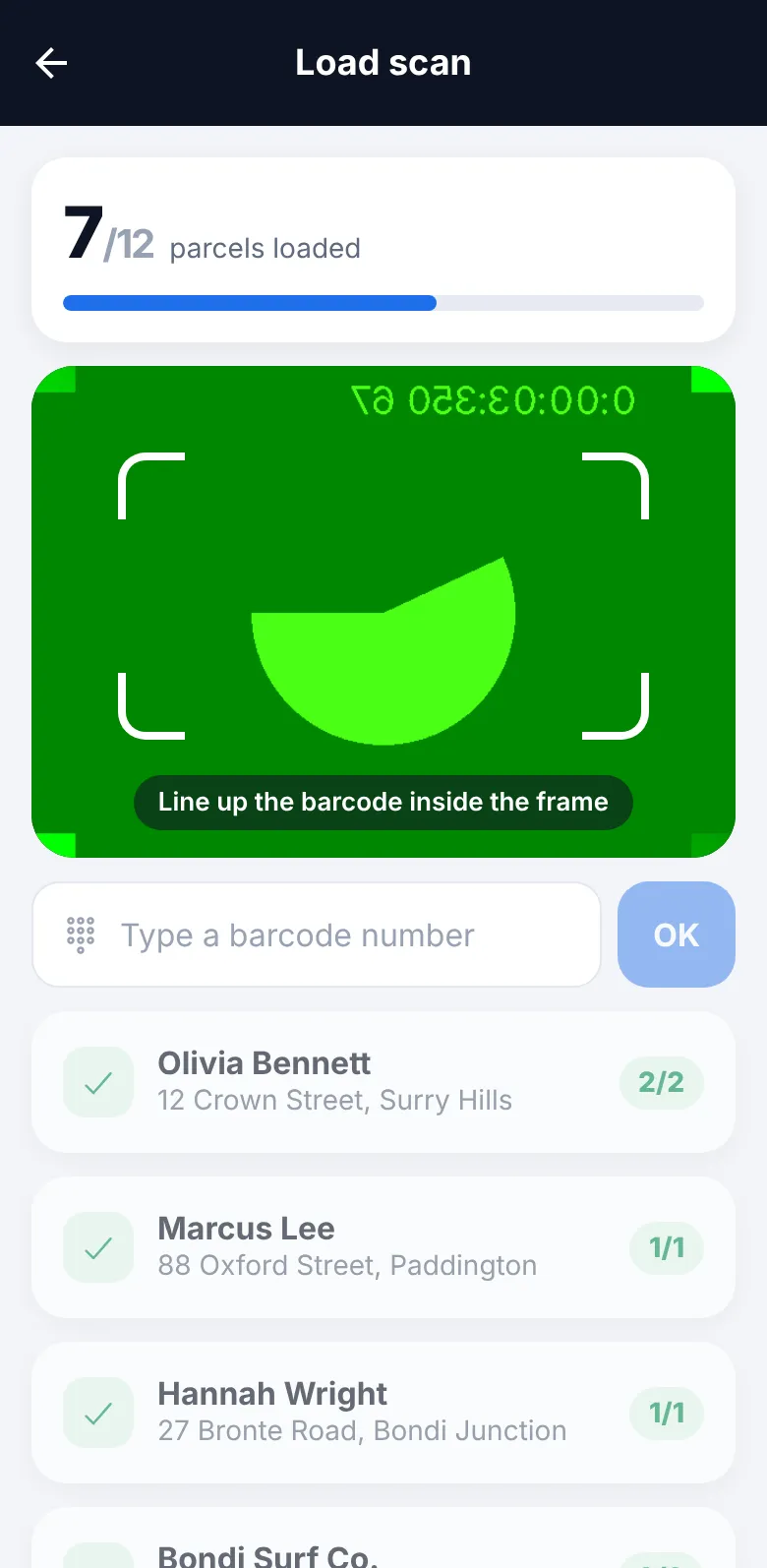
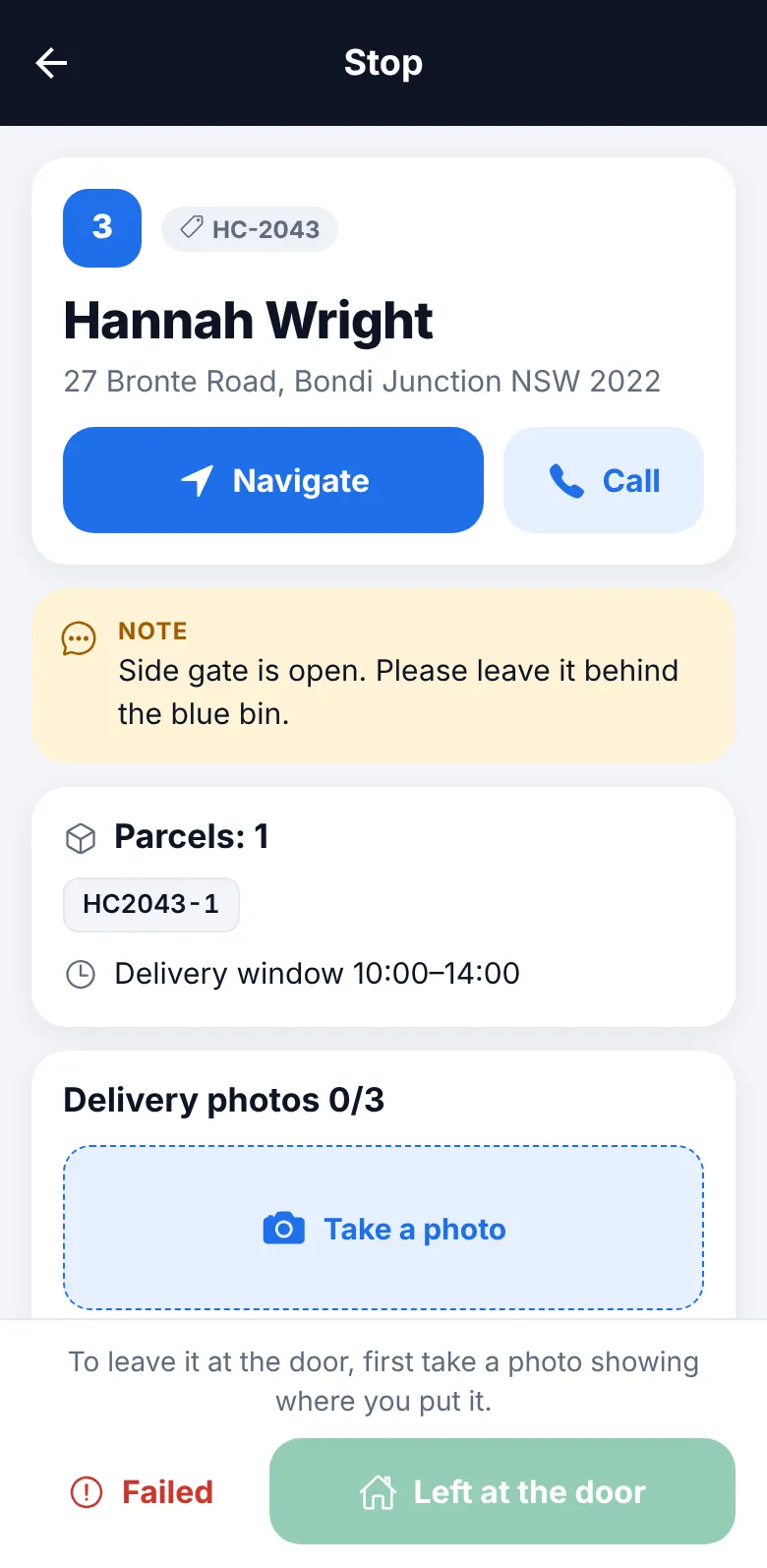
Real screens of the app. Names and addresses are examples.
For recipients
Recipients get a message when the driver starts the run, when they are the next stop, and when the delivery is completed. Each message has a tracking link that opens in the browser, with nothing to install and no sign-in.
The messages show the wording recipients receive. The tracking page is a real screen. Names, times and the link are examples.
Today
Harbour City Couriers: Your delivery HC-2043 is on its way, arriving between 10:15 am and 11:00 am. Track: eztms.com.au/t/k7m2x8q4w6t5z9f3
Harbour City Couriers: You are the next stop for delivery HC-2043. Track: eztms.com.au/t/k7m2x8q4w6t5z9f3
Harbour City Couriers: Delivery HC-2043 was left at your front door. Details: eztms.com.au/t/k7m2x8q4w6t5z9f3
Enter jobs individually or import a CSV. When address checking is enabled, the system flags unconfirmed street numbers and postcode mismatches for review.
Assign jobs to runs by depot, area and vehicle capacity. Plan the stop sequence using time windows and distance, review it on the map and adjust it manually.
Drivers scan parcels onto the van in the app and set off. Location is shared only during the run, and the dispatch map shows the last position.
Reschedule failed deliveries or record their return to the depot. Export completed, failed and returned deliveries for a selected period as CSV.
Deliveries and pickups are handled on the same screens.
Pricing
You pay for the drivers who deliver in the month.
The people on your dispatch web are free, and there is no charge per delivery.
14-day free trial · No card needed to start
No limit on the number of drivers during the trial.
SMS updates start after you subscribe, at A$0.09 per message.
A$39per driver / month
What you need to run your own deliveries.
A$59per driver / month
Everything in Starter, plus:
A$79per driver / month50 or more drivers: contact us
Everything in Business, plus:
Pay yearly and save 10% on the driver fee.
A monthly fee for each driver. Only drivers who complete at least one delivery in the month are counted.
Example: 5 drivers on Business is A$59 × 5 = A$295 a month.
Pay a year ahead for a set number of drivers and the driver fee is 10% less. If more drivers than that deliver in a month, only the extra ones are charged that month, at the monthly price.
Example: 5 drivers on Business for a year is A$59 × 5 × 12 = A$3,540, less 10% = A$3,186.
Text messages to recipients are charged by use, at A$0.09 per message, and added to the monthly bill. SMS is available on Business and Pro after you subscribe (not during the free trial), and stays off until you turn it on.
Example: 3 messages for one delivery (out for delivery, next stop, delivered) is A$0.27.
The people on your dispatch web (up to 3 on Starter, no limit on Business and Pro), email updates for recipients and tracking links. There is no limit on the number of deliveries.
Create an account with your email address, password and company name, then set up your depot, drivers and delivery jobs.
Already have an account? Log in. Questions: info@sthumans.com
…